

The leaderboard module displays a hierarchy of agents based on performance in a single metric.
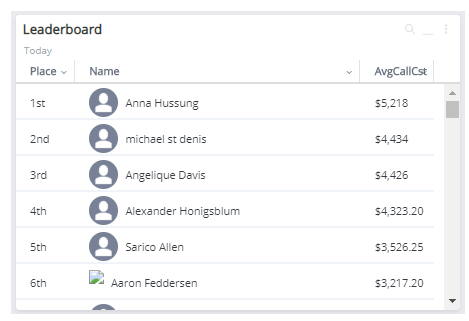
- Click +Add Modules in the side-menu and select Leaderboard.
- Select the settings you want to apply to the module if you want to display data different than the dashboard filter.
-
 Choose the metrics you want to include.
- Click the Metrics button.
- Select a metric. Scroll through the Metrics by Categories, or scroll through the Categories on the right and click to view the metrics for that category. Click the metric name to add it to the Selected Metrics section.
- If you want to add the metric as a favorite. Click the star beside the metric name.
- If you want to remove the selected metric, hover over the name and click the X beside the metric in the Selected column.
- Click Confirm to save your changes.
- Click Apply to run the module under your configured settings.